
10 Best Digital Printers for Business in 2026

A business Digital Printer is not just a box that puts ink on paper. It affects turnaround times, color consistency, staffing, and the cost of every short run. A small marketing team may need crisp brochures by Friday. A print shop may care more about duty cycles, service access, and predictable costs. The right choice depends on the work—not the longest feature list.

Printing-industry analyst Frank Romano has long followed how digital technology reshapes print production. His perspective is captured in the line, “Print is not dead; it’s just changing.” That idea matters in 2026, when businesses balance physical materials with digital campaigns and on-demand jobs. Still, no printer is perfect. A fast machine may be expensive to maintain, while a lower-cost model may struggle with heavier workloads.

This guide compares 10 digital printers for business across practical factors: print quality, speed, media handling, workflow features, operating costs, and support. Look for details that match your daily jobs, such as reliable duplexing, accurate brand colors, or the ability to handle thicker stock. Small differences matter.

And the fine print matters, too. Specifications can vary by configuration, usage, and region, so verify current pricing and service terms before buying. The aim here is not to declare one universal winner. It is to help you find a Digital Printer that fits your workload, budget, and actual expectations.
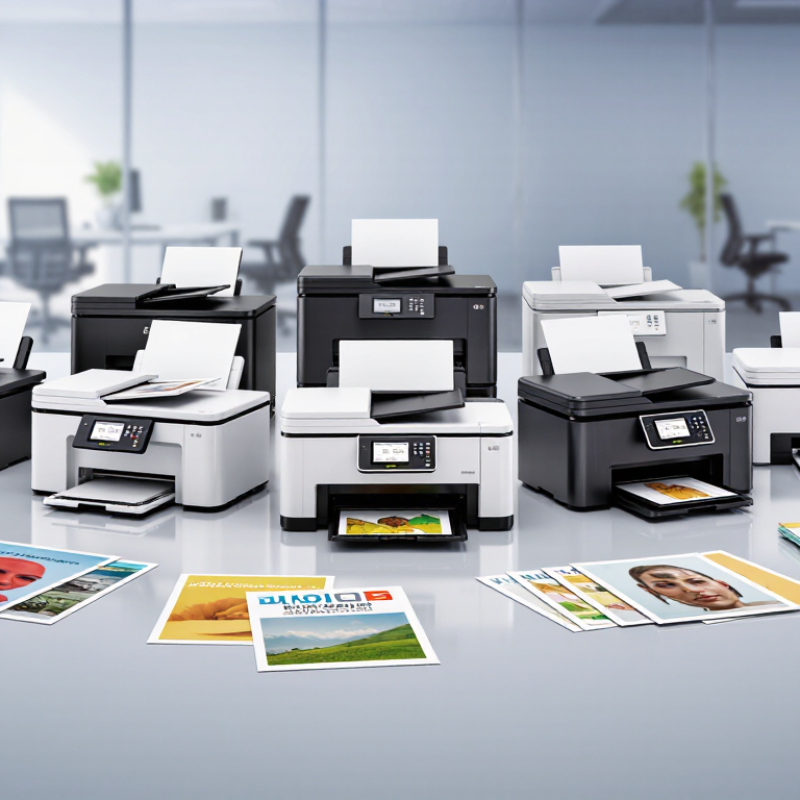
10 Best Digital Printers for Business in 2026

What Digital Printers Do Businesses Need in 2026?

Businesses in 2026 need digital printers that fit their daily workload, not just machines with impressive speed claims. The right choice depends on monthly page volume, color needs, paper sizes, and how quickly staff need finished documents. A small office printing invoices may value reliable black-and-white output and low running costs. A marketing team producing event sheets may need accurate color and heavier stock. For shared workspaces, compact equipment can help, but a small paper tray may mean frequent interruptions. That distinction matters. Estimate a normal week, then include busy periods; otherwise, the printer may be undersized before its first year ends.

Color accuracy and media handling deserve a real-world test. If documents include charts, compare printed shades with the files on screen. Check supported paper weights, duplex printing, and finishing options such as stapling. Ask for a sample. It reveals flaws. Security also matters: look for user access controls, encrypted storage, and secure release of queued jobs. Compare total cost per page, including toner, maintenance, and expected service visits. Cheap per page can mislead. Service access and parts availability affect downtime, too. Specifications still leave room for judgment: advertised capacity rarely reflects every office’s paper mix, print habits, or tolerance for noise.

10 Best Digital Printers for Business in 2026: What Workload Do You Need?

Use monthly page volume as a starting point when choosing a business printer. The ranges below are illustrative planning estimates, not universal device specifications.

Estimate your team’s monthly volume, then check the printer’s recommended monthly page volume and duty cycle before purchasing. Actual needs vary with document mix, coverage, and peak workloads.

Which Features Matter When Comparing Business Printers?

When comparing business printers, start with the pages your team actually produces. A small office printing invoices has different needs from a department producing color presentations. Estimate monthly volume, then check whether the recommended duty cycle leaves room for busy periods. A printer that runs near its limit may mean more maintenance and interruptions.

Look beyond the purchase price. Compare cost per page, including toner, drums, and other replaceable parts. Ask how quickly the printer handles a typical five-page document, not just its advertised maximum speed. Automatic two-sided printing can reduce paper use, while a suitable paper tray helps avoid constant refilling. Check that it supports the sizes and weights your work requires. Small details matter.

Connectivity and security deserve practical tests. Confirm that staff can print from their usual computers and mobile devices, and ask how access controls and software updates are managed. Also consider noise, energy use, warranty coverage, and local service options. Run a sample job before deciding: print a spreadsheet, a photo-heavy page, and a double-sided report. Watch for smudges or awkward delays. A comparison sheet can help, though real office needs are rarely tidy.

What Are the 10 Best Digital Printers for Business in 2026?

What are the 10 best digital printers for business in 2026? The right choice depends on monthly volume, paper sizes, color needs, and service capacity. A practical shortlist includes a compact monochrome laser for invoices; a color laser for client-ready reports; an ink-tank printer for economical mixed documents; a duplex multifunction printer for scanning-heavy teams; and a high-speed monochrome workgroup printer for busy shared offices. Speed matters.

For specialized work, consider a wide-format printer for plans and posters; a photo-quality inkjet for proofs; a digital production press for frequent short runs; a thermal label printer for shipping desks; and a secure network printer with user authentication for internal documents. These tools serve different jobs. They are not direct substitutes.

Before buying, compare real-world print speed, monthly duty cycle, paper capacity, service access, and cost per page. Test a typical job, such as a two-sided, 20-page color report, rather than trusting headline specifications alone. I would not rank a fast machine highly if its consumables strain the budget. No shortlist is perfect. A printer that fits one office may frustrate another, especially when workloads change.

How Do the Top Printers Fit Different Business Needs?

Choosing among the 10 best digital printers for business in 2026 starts with the work you actually print. A small consultancy may need crisp contracts and dependable color charts, not the fastest machine in a large office. A busy copy room may care more about pages per minute, paper capacity, and quick recovery after a jam. Match the printer’s monthly duty guidance to your real workload, with room for seasonal peaks. Don’t pay for capacity you rarely use.

Paper handling matters. If staff print invoices, folded brochures, and labels, check supported sizes and media weights before comparing headline speed. For shared offices, look for clear controls, secure print release, and straightforward supply replacement. Noise counts, too. A loud machine beside a meeting room gets noticed.

Tips Estimate monthly pages from recent invoices, then test sample files on a shortlisted model. Ask how long common maintenance tasks take. Check whether the quoted running cost includes toner, drums, and waste containers; estimates vary by coverage and usage. A spreadsheet won’t capture every annoyance. That’s worth remembering. And if color accuracy matters, inspect a real printed chart under normal office lighting, not just a screen preview.

What Should Buyers Consider Before Choosing a Printer?

Before comparing digital printers, estimate your real monthly volume, not just the busiest week. A small office printing invoices has different needs from a team producing color brochures every day. Check the recommended duty range and ask how speed changes on double-sided, full-color jobs. Fast figures on a specification sheet may describe simple pages, not your actual workload. Test a sample file. Look closely at small text, solid color areas, and fine lines.

Next, compare the full cost per usable page, including toner, ink, paper, and routine maintenance. Consider the media you use: thick card, labels, or long sheets may require specific feed trays. Check whether the printer fits existing devices and print-management software, and whether staff can securely release jobs at the machine. Ask about service response times and replacement-part availability. Downtime matters. A neat specification can still mislead; real jobs are messier, and I would not choose without testing the papers and files the business uses most. Finally, measure the available space, including room to open trays and replace supplies.

10 Best Digital Printers for Business in 2026 — What Should Buyers Consider Before Choosing a Printer?

This category-based comparison highlights common business printer options. The best choice depends on print volume, document type, media size, color needs, and total operating cost.

Printer Category Typical Rated Speed Best-Fit Workload Common Media and Format Main Advantages Points to Check Before Buying Useful Buying Consideration
1. Compact monochrome laser About 20–40 pages per minute (ppm) Individual professionals and small teams printing mostly text documents Usually A4 or Letter-size paper; some models support legal-size media Sharp text, fast first-page output, and reliable performance for everyday office documents Usually prints in black only; check whether automatic two-sided printing and networking are included Compare the printer’s recommended monthly volume and toner yield with expected use
2. Workgroup monochrome laser About 40–70 ppm Shared office teams with frequent, text-heavy printing Typically A4 or Letter; optional trays may support additional sizes and paper types Higher throughput and larger paper capacity than compact desktop devices Check network security features, user access controls, noise, and the cost of replacement supplies Assess peak-period demand as well as average monthly volume
3. Business color laser About 25–50 ppm Small and medium offices producing a mix of text, charts, and color documents Usually A4 or Letter; some configurations handle heavier stock and envelopes Consistent color output with good speed for routine office materials Color pages use multiple toner cartridges; actual supply life varies with coverage and print settings Estimate the share of color pages and review cost per page using realistic coverage assumptions
4. High-volume color laser About 45–75 ppm Large workgroups with regular color reports, presentations, and internal communications Commonly A4 or Letter; optional finishing and paper-handling units vary by configuration High throughput, shared-workgroup features, and options such as stapling on some systems Installation space, power requirements, service terms, and add-on finishing can affect total cost Confirm that quoted speed applies to the selected paper size, color mode, and configuration
5. Business inkjet About 20–50 ppm, depending on mode and document type Offices needing color documents, occasional photos, and flexible paper handling Often A4 or Letter; supported media may include envelopes and selected coated papers Can produce strong color graphics and may use less energy while printing than many laser devices Ink can dry or require maintenance during infrequent use; check duty cycle and printhead servicing terms Compare measured office-document speeds, not only draft-mode or manufacturer headline speeds
6. High-yield tank business inkjet About 15–35 ppm Small offices or departments with steady color printing and a focus on reducing supply interruptions Usually standard office sizes; media support depends on the individual device Refillable ink tanks can provide high page yields between refills Check included ink yield, refill availability, warranty conditions, and print quality on the media you use Calculate cost using expected color coverage and the printer’s stated yield test method
7. A3 multifunction laser About 25–60 ppm for common office configurations Teams that print, copy, and scan documents, including spreadsheets and plans larger than A4 or Letter Typically supports A3 and smaller formats; tray and finishing options vary Combines several office functions and supports larger-format document workflows Verify that scanning, duplexing, finishing, and A3 paper handling are included rather than optional Check the footprint, access requirements, and service response for a shared departmental device
8. Wide-format aqueous inkjet Speed varies by print mode, image coverage, and device width Design, architecture, engineering, and marketing teams producing posters, drawings, or display graphics Roll-fed media commonly ranges from about 24 to 44 inches wide; sheet support varies Can print large-format color graphics and line drawings on compatible paper and specialty media Check ink and media compatibility, drying requirements, color-management tools, and roll handling Match the maximum media width and print length to the largest jobs produced in-house
9. Production digital press Often about 60–150 or more impressions per minute, depending on format and configuration Print rooms and service providers handling sustained, high-volume jobs Supports a range of sheet sizes and stocks; limits depend on the press and feeding system Designed for production throughput, repeatable output, and optional finishing workflows Requires space, trained operators, maintenance planning, and careful evaluation of service and consumable costs Request a live demonstration using representative files, paper stocks, and finishing requirements
10. Wide-format graphics printer Speed varies substantially with resolution, media, and print mode Businesses producing signs, posters, banners, or other large visual materials Roll media is common; supported widths and materials vary by printer and ink system Enables in-house production of oversized graphics and a range of visual applications Confirm indoor or outdoor durability needs, compatible media, ventilation requirements, and finishing equipment Choose an ink and media system suited to the intended display conditions and expected job mix

Note: Speed figures are indicative category-level ranges, not guarantees for a particular device. Actual output depends on configuration, paper size, color coverage, print quality settings, and the measurement method used. Before purchasing, verify the manufacturer’s rated speed, recommended monthly print volume, supported media, warranty, security features, and total cost of ownership.